
AI Trade Show Booth Design: What AI Can and Can’t Do | 8 Tips
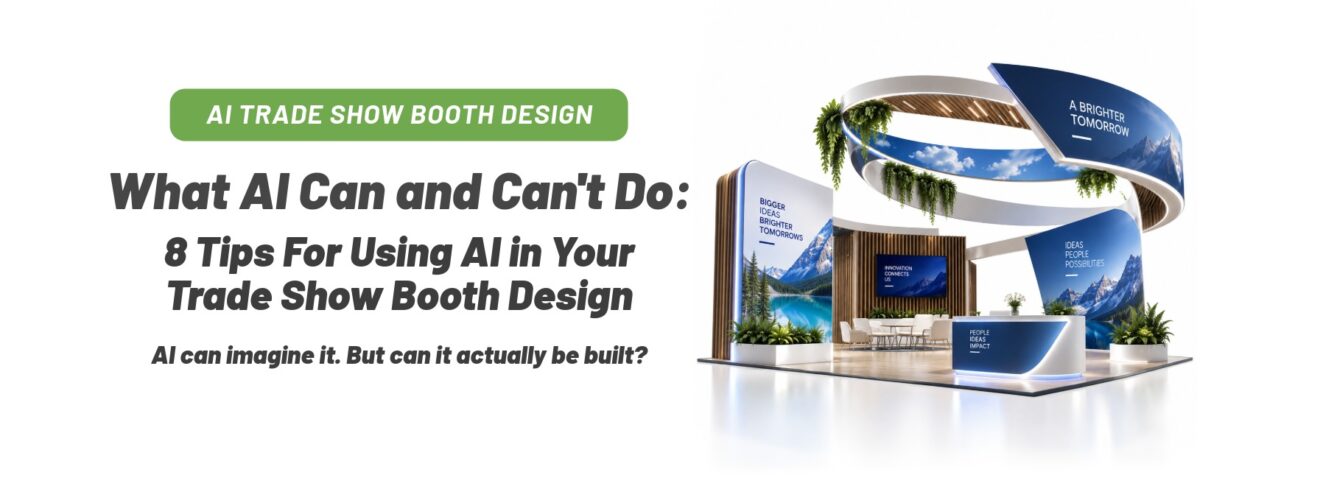
Can you use ChatGPT or another AI tool to help design your trade show display? Absolutely. AI trade show booth design is one of the fastest ways to explore ideas, visualize a concept, and settle on the look you want before anyone opens a design file. An AI-generated image is a starting point rather than a finished, print-ready graphic, and that is fine. Before it can become a display, the artwork goes through a professional design and production process that gives it the right resolution, dimensions, branding, and setup for your specific hardware.
The good news is that you do not have to navigate that process on your own. Our graphic design team evaluates AI-generated artwork every week, determines what can be used, and takes it through the steps needed to make it show-ready. Here is how that works, and eight tips for getting the most out of your AI concept.
From AI Trade Show Booth Design Concept to Print-Ready Graphic
Here is what the process typically looks like when you send us an AI concept:
- Create your concept with AI. Use AI to explore the overall look, imagery, colors, and creative direction.
- Evaluate the artwork. A designer checks the image at its intended print size to determine whether the resolution and quality are sufficient. Depending on the artwork, it may be usable as-is or need to be enhanced, upscaled, rebuilt, or replaced.
- Prepare and enhance the image. When needed, professional design tools and specialized AI upscalers increase resolution and enhance apparent detail to prepare imagery for large-format printing.
- Build the artwork to the display template. The design is set up at the correct dimensions, either full size or at a defined scale, and positioned on the artwork template for your specific display.
- Add logos, text, and brand elements. Your original logo, typography, and other important graphic elements are added or recreated as vector artwork so they stay crisp at any size.
- Preflight the finished artwork. Resolution, dimensions, bleed, safe areas, color, and other production requirements are checked.
- Review and approve your proof. You see the final artwork, including a full-size crop of the most detailed area, and confirm everything looks right before it moves into production.
- Print your trade show graphics. Once approved, your finished graphics go into production.
AI stays useful in several of those later steps, particularly for upscaling, enhancing imagery, or extending backgrounds. At that point it becomes one tool within a larger professional workflow.
So what else should you know when creating your AI trade show booth design concept? Customers reach out to us with questions such as “Can you work with this image I created in AI?”, “Is the resolution high enough?”, and “Can you replace certain images while keeping the rest of the design?” In many cases the answer is yes. The eight tips below explain when, and how to make yes more likely.
Tip 1: Start With Real Trade Show Hardware
If you are using AI to visualize your booth, start with a real trade show display. Find a display with the size, shape, and features you need, then use those details as the basis for your AI concept. You get a more realistic starting point, and you already know there is hardware available to bring the idea to life.
Need inspiration? Explore our 10×10 trade show displays, 10×20 trade show displays, 20×20 trade show displays, or browse all trade show displays by booth size.

Tip 2: Understand How a Trade Show Graphic Gets Made
Large-format artwork is built at full size or at a defined scale based on the printer’s artwork specifications. It usually combines vector graphics, such as shapes, logos, and type that scale without losing quality, with raster images, which are made of a fixed number of pixels.
This is where designing for a screen and designing for a display differ. An image can look fantastic on a phone and still need preparation before it is enlarged to ten feet wide.
At APG, we generally prefer artwork around 100 dpi at final print size for large-format trade show graphics. Our working assumption for a backwall is a viewer standing about 10 feet away, and at that distance, depending on the image and how much of the message rides on it, approximately 72 dpi at final size can be acceptable for background imagery. Logos, headlines, and other important graphic elements should stay vector whenever possible so they remain crisp at any size. A slightly soft background reads as atmosphere from the aisle; a crisp headline is what people actually read.
Tip 3: Know What You Have vs. What the Printer Needs
A standard AI-generated image can look great on screen and still be much smaller than what a 10-foot graphic needs. The math is simple: a 10-foot backwall is 120 inches wide. Divide the pixel width of your image by 120 and you have its effective resolution at that size.
| Image source | Typical width | Effective dpi on a 10-ft backwall | What we usually do with it |
|---|---|---|---|
| AI image, default settings | 1024 to 1536 px | About 9 to 13 dpi | Use it as creative direction; rebuild the graphic on the template |
| AI image, highest settings | Up to about 3840 px | About 32 dpi | Upscale the background; recreate logo and text in vector |
| Stock or camera photo | 6000 px and up | About 50 dpi | Often usable as a background, sometimes with light upscaling |
| Vector layout (AI, EPS, PDF) | Resolution-independent | Sharp at any size | Print-ready once it is on the correct template |
A 1536-pixel-wide AI image spread across a 10-foot wall lands at about 13 dpi, and even a top-setting export needs preparation before it reaches an acceptable range. That does not mean you cannot use the design. Depending on the image, it may be possible to upscale it, use portions of it, replace key elements with higher-resolution artwork, or rebuild the layout from your AI concept. That is why we evaluate artwork at its actual intended print size before deciding what needs to be done.
Tip 4: Keep Logos and Important Text in Vector Format in AI Trade Show Booth Design
One of the most common questions we get is whether ChatGPT can create a vector file for a trade show booth. AI image generators produce raster images, such as PNGs or JPGs made of pixels. Asking for a “vector style” creates a clean, flat-looking illustration, but the file is still pixels. AI tools also deliver the background and the lettering as a single flattened image, so the text cannot be edited or sharpened separately until a designer recreates it.
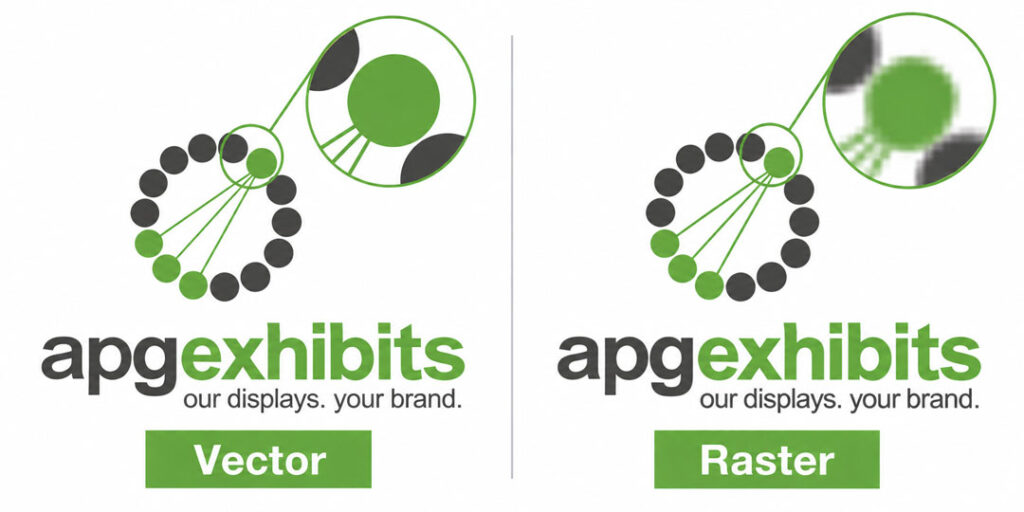
True vector artwork gives you tremendous flexibility. Your logo, headline, and other graphic elements stay sharp whether they are on a retractable banner stand or a 20-foot exhibit, and they stay editable for next year.
That is why we recommend sending your original logo and brand assets separately whenever possible. The AI imagery establishes the look; your actual logo, headlines, and messaging go in as crisp vector elements in the final production file.
Tip 5: AI Images Can Often Be Upscaled
If you love your AI-generated image but the resolution is not high enough, upscaling is often an option, and we do it in-house. Today’s professional image tools, including AI-powered upscalers, can increase resolution and enhance apparent detail. This works particularly well for backgrounds, textures, skies, and environmental imagery, where the target is the 72 to 100 dpi range rather than full photographic sharpness.
Faces, products, fine details, and text need more careful evaluation, because imperfections become more noticeable when enlarged. The most common approach is to upscale the AI background while replacing the headline, logo, and other important elements with vector artwork. You keep the look you created, prepared properly for large-format printing.
Tip 6: Use Your AI Trade Show Booth Design To Visualize, Then Make Sure It Can Be Built
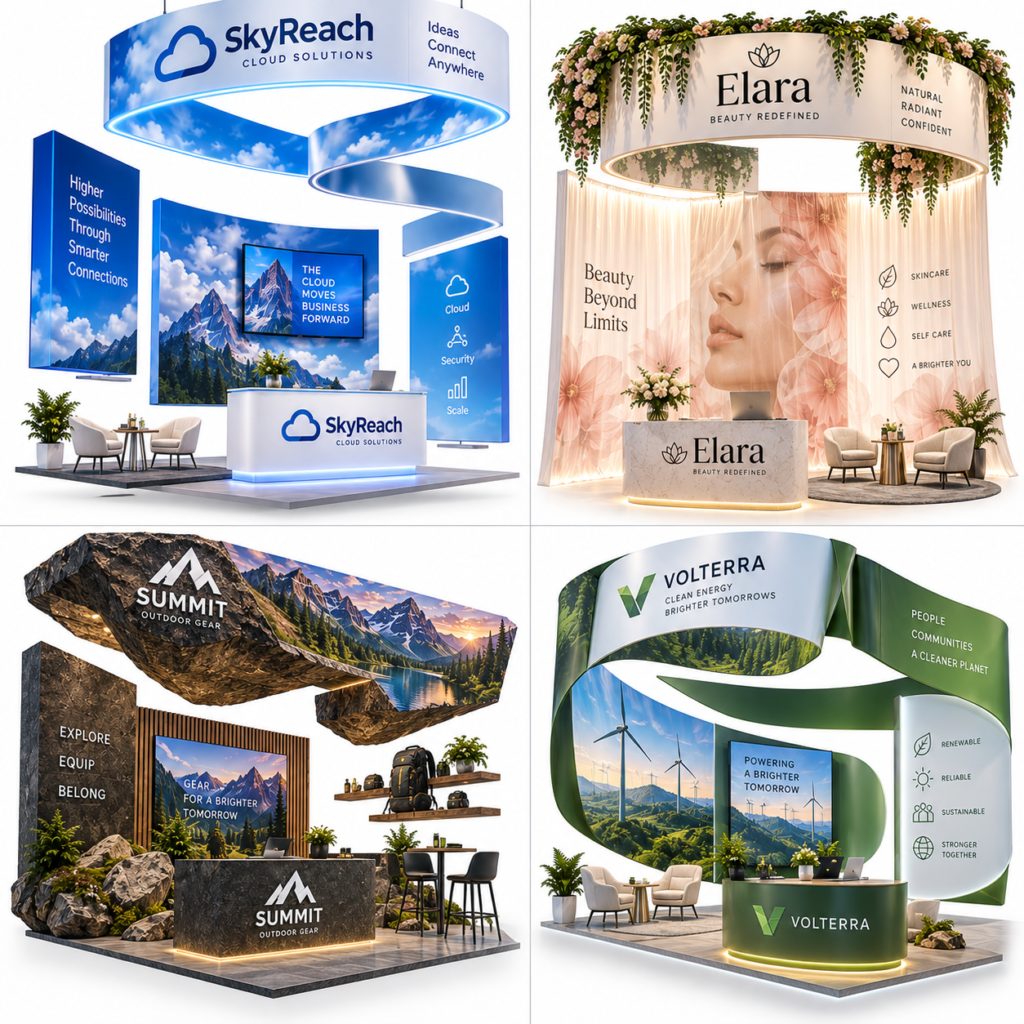
These booths look amazing, but can they actually be built? Look closer at the structure.
AI is excellent at showing you what a booth could look like. It does not necessarily know how trade show hardware works. An event designer recently sent us an AI trade show booth design rendering with a glowing sign suspended from pipe and drape. Visually, the concept works. In the real world, drape cannot support a lightbox, its power supply, and the mounting hardware.
That does not make the concept unusable. It means the idea gets translated into real hardware that creates a similar effect. The same applies to floating headers, unsupported shelves, oversized furniture, backlit elements, and booth footprints. Focus on what you love about the concept, such as the glowing wall, the overhead branding, the open layout, or the overall style. We can help determine the best hardware to achieve that look.
A Real-World Example of How AI Trade Show Booth Design Can Go Wrong
A customer recently sent us an AI rendering for a 20×30 island display, with a note that the design was a placeholder and a list of the changes they wanted. The concept gave us a great starting point. It also included a circular hanging sign that would require rigging and a show that allows it, an overhead header that needed real structural support, backlit elements that need a power drop, and a booth footprint drawn as a 20×20 rather than the 20×30 they had booked.
None of that meant abandoning the concept. Each item simply needed to be translated into a real-world display solution. That is where an AI rendering is especially useful: it shows us the look you are trying to achieve, and we can help determine the best way to build it.
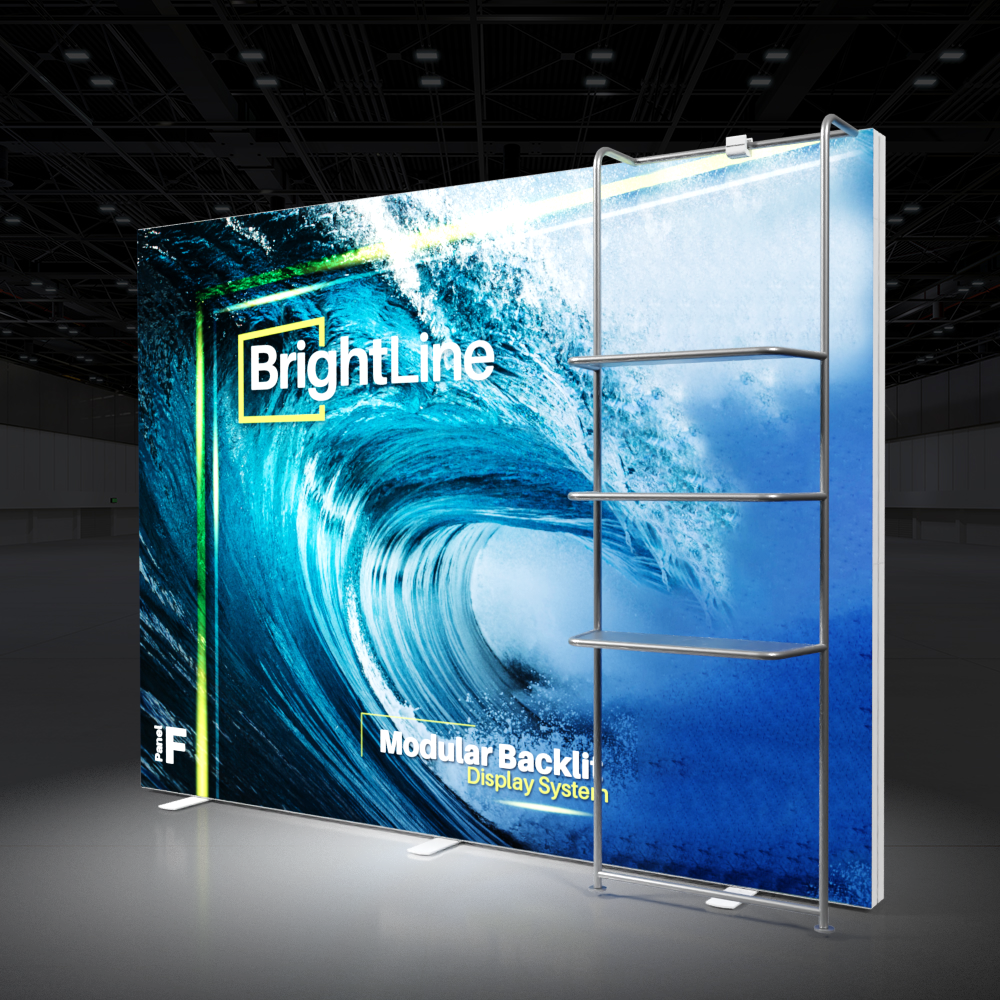
Love the illuminated look AI created? Browse our backlit trade show displays to see how glowing walls and graphics are achieved with real LED hardware. If your concept includes shelving, monitors, storage, or more architectural elements, a modular trade show display may be the better starting point.
Tip 7: Choose the Best Path From AI Concept to Finished Display
When you send us an AI trade show booth design, there are generally three ways to approach it.
Path 1: Use It as Creative Direction
This is one of the best uses of AI booth design. Generate concepts until you find a look you love, then send that rendering to us as creative direction. Our graphic design team rebuilds the concept on the correct product template using your actual branding and real display hardware.
You can also reverse the process. Start with a real display you like and use its size and features when creating your AI concept. For example, begin with a WaveLine tension fabric display, a BrightLine backlit display, a Formulate tension fabric display, or a Hybrid Pro modular display, then use AI to explore graphic treatments and creative directions on that hardware.
Path 2: Use the Elements That Work
If much of your AI design already works, we can often keep it. Depending on the artwork, we enhance or upscale the imagery, replace AI-generated text with real type, add your vector logo, or swap in higher-resolution photography while maintaining the overall look. This is the path most of the “can you replace certain images while keeping the rest?” questions end up on, and the answer is usually yes.
Path 3: Use the AI Image Itself
Sometimes an AI-generated image can become part of the finished graphic. It needs sufficient quality and effective resolution at its intended print size, or it needs to be suitable for upscaling into our working range. Soft backgrounds are more forgiving than detailed products, faces, or text, and the text itself is always recreated in vector so it prints sharp. We evaluate the image, show you a full-size crop, and recommend the best approach based on how large it will be printed and how it will be viewed.
Tip 8: Create Artwork You Can Use Again
Properly preparing your AI concept also makes future updates easier. When your logo, text, and brand graphics remain editable vector artwork, you can update photos, messaging, or promotions later without starting over.
You can also order replacement graphics for most display systems, so the same hardware takes on a completely new look for your next event.
Frequently Asked Questions about AI Trade Show Booth Design
Can ChatGPT design a trade show booth?
Yes, as a starting point. ChatGPT and similar tools are excellent for exploring layouts, colors, and the overall look of a booth. The image they produce is creative direction rather than a print-ready file, so a designer builds the final artwork on the correct display template using your real logo and vector type.
Can AI-generated images be printed on trade show graphics?
Often, with preparation. A default AI image is roughly 1024 to 1536 pixels wide, which is about 13 dpi across a 10-foot backwall, well below the 100 dpi we prefer. Backgrounds can frequently be upscaled into our working range, while logos, headlines, and detailed elements are recreated in vector so they print crisp.
Can ChatGPT create vector files for large-format printing?
Not directly. Image generators produce raster PNG or JPG files, even when asked for a vector style. Our designers recreate logos, type, and key shapes as true vector artwork, which stays sharp at any size and remains editable for future updates.
What resolution do trade show graphics need to be?
We prefer about 100 dpi at final print size. For a backwall viewed from around 10 feet, background imagery can sometimes go as low as 72 dpi depending on the image and its importance, which works out to roughly 8,600 to 12,000 pixels across a 10-foot wall. Text and logos should always be vector.
Can you upscale an AI image for a large trade show display?
Yes, and we do it in-house. AI-powered upscaling works especially well on backgrounds, textures, skies, and environmental imagery. Faces, products, fine detail, and text are evaluated more carefully, and the usual approach is to upscale the background and rebuild focal elements in vector.
Will APG Exhibits build a booth from my AI trade show booth design rendering?
Yes. Send us the rendering along with your booth size, and our team will recommend the right hardware, evaluate the artwork at print size, rebuild it on the correct template with your branding, and send you a proof before anything goes into production.
Have an AI Trade Show Booth Design Idea? Let’s Make It Show-Ready.
AI gives exhibitors an exciting new way to explore ideas and visualize what is possible. Whether you are just beginning to experiment or you have already created a concept you love, you do not have to figure out the production side on your own.
Already have an AI trade show booth design concept? Send it to our design team. Just getting started? Browse our trade show displays by booth size for inspiration. Our team will help you choose the right hardware, evaluate your artwork, and provide the graphic design support to turn your idea into a professional, show-ready display. For the step-by-step version of this process written for exhibitors, see our companion guide on TradeShows.fyi.
Use AI to help create the vision. We’ll help you bring it to the show floor.
